Your records, your next step
Your VA & military records. Start at the right office.
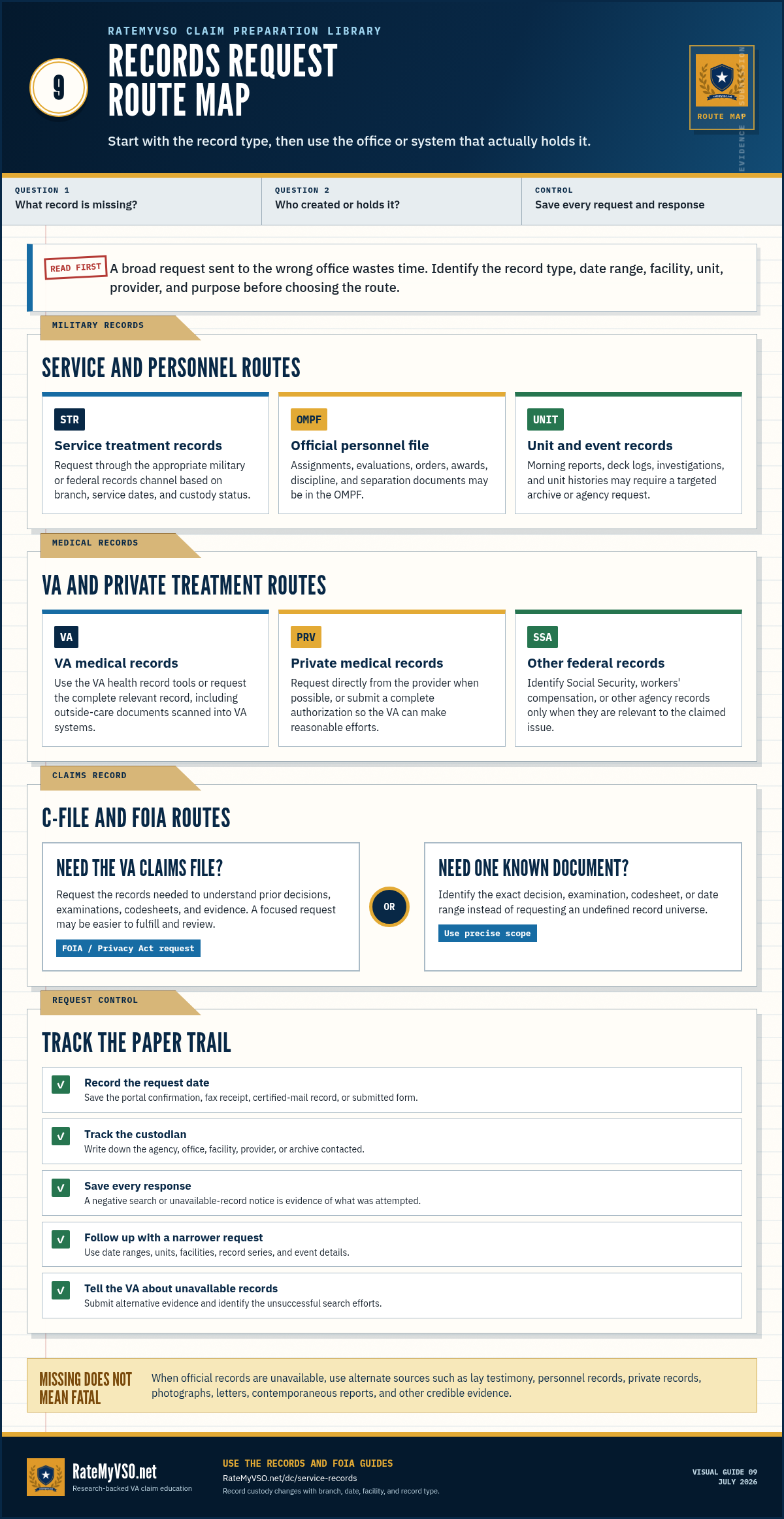
Find the form, the receiving office, and the next step for each record you need. We explain the request options, possible costs, and what to select or write for each type of record.
- 01 Choose your records
- 02 Find your route
- 03 Keep track
 THE RIGHT RECORD.
THE RIGHT START.
Records Finder
What would you like a copy of?
Choose one or more. We will ask only the details needed to find the right office.
Your routing answers stay
on this device.
Loading the finder…
Looking for an exam?
Two different requests.
A DBQ and the complete exam record are not the same thing.
About this guide and choosing a starting point
The right record, the right form, the right office. This guide walks you through how to get your VA Claim File, DD-214, military medical records, service records, and unit After Action Reports.
- Filing your first VA claim? You do not have a C-File yet. Skip to the Military Medical Records section and the DD-214 section. Those are the records you will want.
- Already filed and waiting for a decision, or appealing a denial? Start with the VA Claim File section, it is the single most important record for an appeal.
- Just need your DD-214 for a benefit or job? Jump straight to the DD-214 section.
Keep the details within reach
The records request guide.
Compare the paths, then open only the section you need.
Quick Comparison
If you only have a minute, this table tells you which form to use and where it goes. Each record is explained in detail below.
| Record | Form / Tool | Where It Goes | Wait Time | Cost |
|---|---|---|---|---|
| VA Claim File (C-File) | VA Form 20-10206 | VA Evidence Intake Center | 12-18 weeks | Free |
| Military Medical Records | eVetRecs or SF-180 | NPRC (St. Louis) or VA | 4-12 weeks | Free |
| Service Records (OMPF) | eVetRecs or SF-180 | NPRC (St. Louis) | 4-12 weeks | Free |
| DD-214 | milConnect (recent), eVetRecs, or SF-180 | DPRIS or NPRC | Instant-4 weeks | Free |
| After Action Reports | FOIA letter to branch | Service branch FOIA office | 1-12+ months | Usually free |
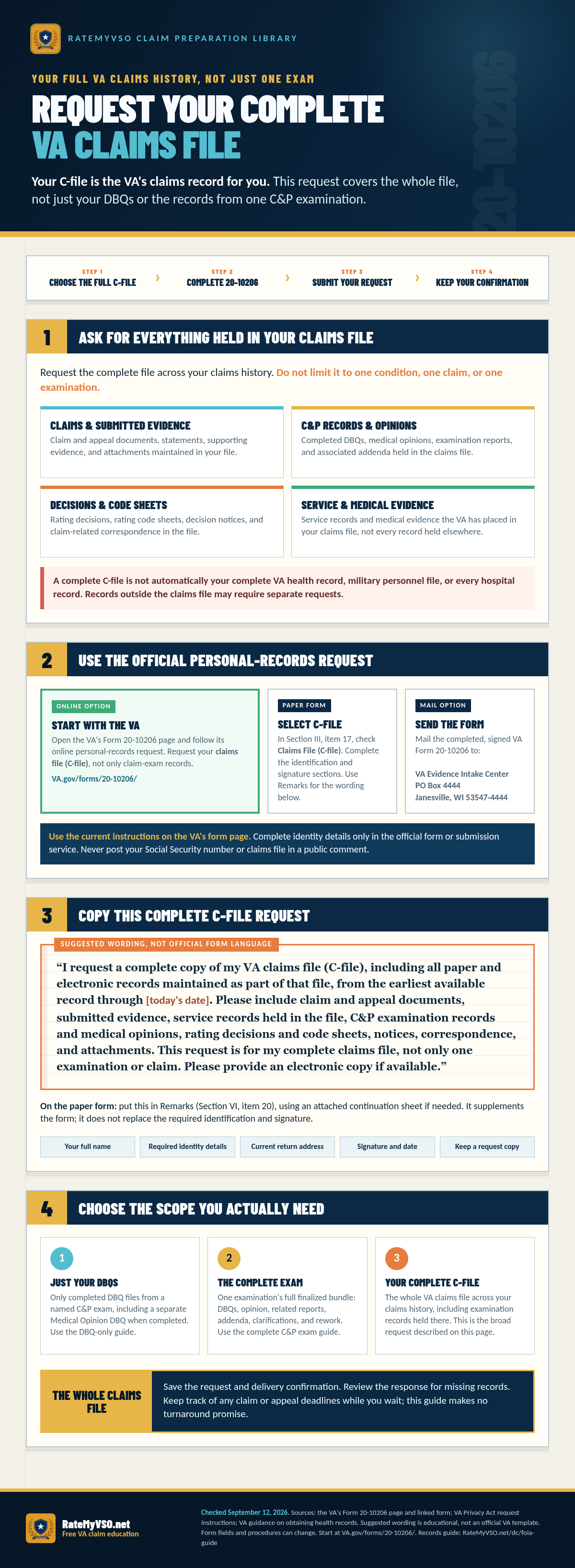
1. VA Claim File (C-File)
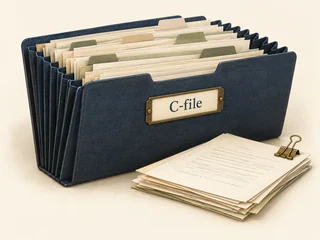
This is your most valuable record. It's everything VA used to decide your claims: applications, exam reports, rating decisions, internal notes, and evidence you submitted. You should request your C-File before filing any appeal. Most denials make a lot more sense once you can see what the rater actually saw.
How to request
- Download VA Form 20-10206 from va.gov/forms/20-10206.
- In Section I, enter your full name, SSN, VA file number (if you have one), mailing address, phone, and email.
- In Section III, item 17, check "Claims File (C-File)".
- In Remarks, Section VI, item 20, write: "Complete VA claims file (C-file), to include all C&P exam reports, rating code sheets, and all evidence of record." The form has no delivery choice, so if you want an electronic copy, add: "Please provide an electronic copy if available."
- Sign with a wet (pen) signature. Typed signatures sometimes get rejected.
- Submit one of three ways, details below.
Online Fastest
Upload through VA QuickSubmit. Free account, instant confirmation.
Fax
844-531-7818. Get a confirmation page and keep it, that's your proof of submission.
VA Evidence Intake Center
PO Box 4444
Janesville, WI 53547-4444
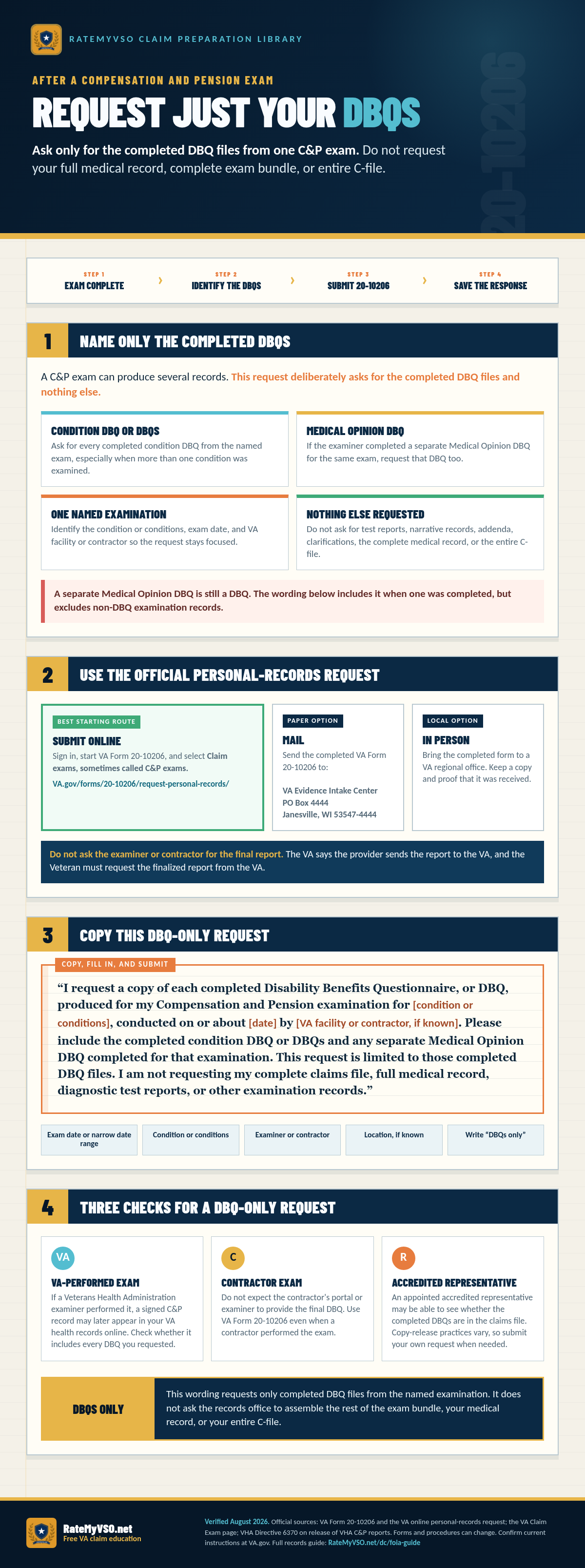
Only Need Your Completed DBQs After a C&P Exam?
If you need only the completed DBQ files from one C&P exam, request the condition DBQ or DBQs and any separate Medical Opinion DBQ completed for that examination. Do not request the complete exam bundle or entire C-file when you only want the DBQ files.
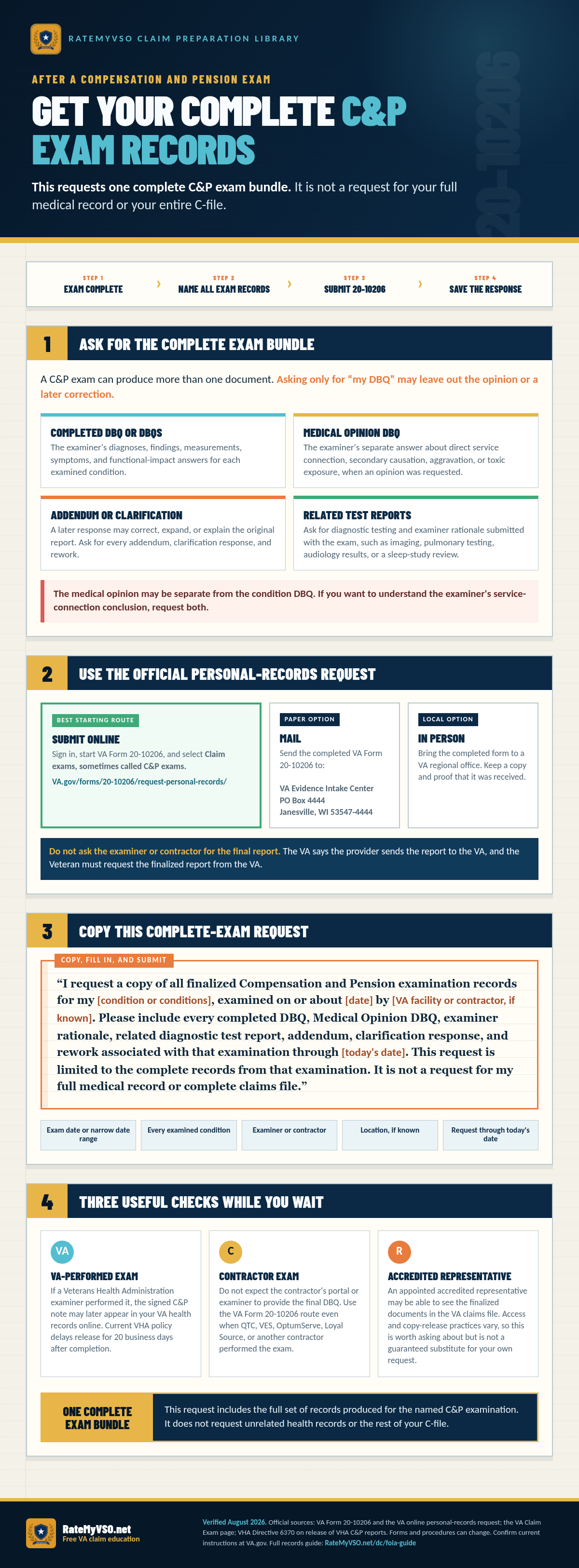
Need the Complete Records From One C&P Exam?
A complete examination-record request is broader than a DBQ-only request but still narrower than a complete C-file. It asks for every finalized record associated with one named C&P examination, including DBQs, any Medical Opinion DBQ, examiner rationale, related tests, addenda, clarifications, and rework.
Already Have Your Records? Check Your DBQ Against Your C-File.
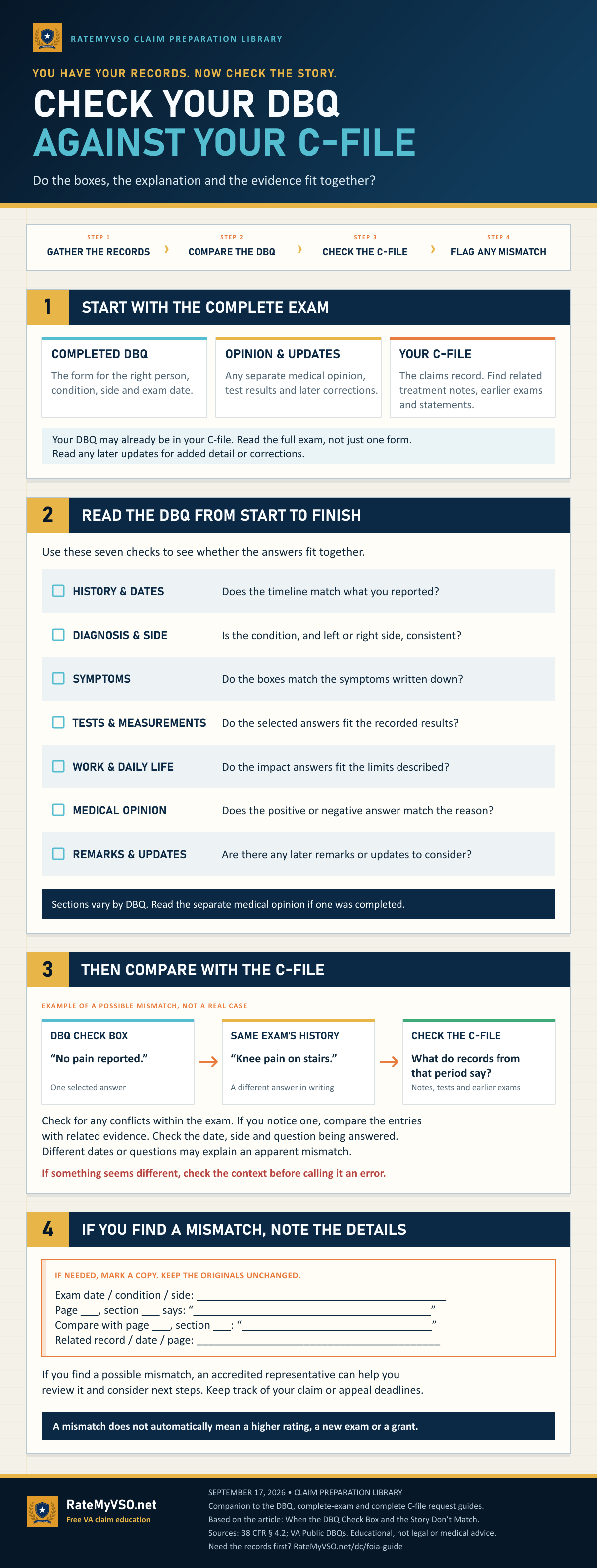
The three requests above are how you obtain records. This is what to do once they arrive: read the completed exam from start to finish and see whether the check boxes, the written explanation and the evidence in your C-file fit together.
Read the whole guide as text
You have your records. Now check the story. Check your DBQ against your C-file. Do the boxes, the explanation and the evidence fit together?
Four steps: gather the records, then compare the DBQ, then check the C-file, then flag any mismatch.
Step 1. Start with the complete exam
- Completed DBQ. The form for the right person, condition, side and exam date.
- Opinion and updates. Any separate medical opinion, test results and later corrections.
- Your C-file. The claims record. Find related treatment notes, earlier exams and statements.
Your DBQ may already be in your C-file. Read the full exam, not just one form. Read any later updates for added detail or corrections.
Step 2. Read the DBQ from start to finish
Use these seven checks to see whether the answers fit together.
- History and dates. Does the timeline match what you reported?
- Diagnosis and side. Is the condition, and left or right side, consistent?
- Symptoms. Do the boxes match the symptoms written down?
- Tests and measurements. Do the selected answers fit the recorded results?
- Work and daily life. Do the impact answers fit the limits described?
- Medical opinion. Does the positive or negative answer match the reason?
- Remarks and updates. Are there any later remarks or updates to consider?
Sections vary by DBQ. Read the separate medical opinion if one was completed.
Step 3. Then compare with the C-file
Example of a possible mismatch, not a real case. A DBQ check box reads “No pain reported,” one selected answer. The same exam’s history reads “Knee pain on stairs,” a different answer in writing. Check the C-file: what do records from that period say? Notes, tests and earlier exams.
Check for any conflicts within the exam. If you notice one, compare the entries with related evidence. Check the date, side and question being answered. Different dates or questions may explain an apparent mismatch. If something seems different, check the context before calling it an error.
Step 4. Flag any mismatch: if you find one, note the details
If needed, mark a copy. Keep the originals unchanged. Record:
- Exam date, condition and side.
- The page and section, and what it says.
- The page and section you are comparing it with, and what that says.
- The related record, its date and page.
If you find a mismatch, or something that may be one, an accredited representative can help you review it and consider next steps. Keep track of your claim or appeal deadlines. A mismatch does not automatically mean a higher rating, a new exam or a grant.
Companion to the DBQ, complete-exam and complete C-file request guides. Based on the article When the DBQ Check Box and the Story Don’t Match. Sources: 38 CFR 4.2; VA Public DBQs. Educational, not legal or medical advice.
2. Military Medical Records (Service Treatment Records)
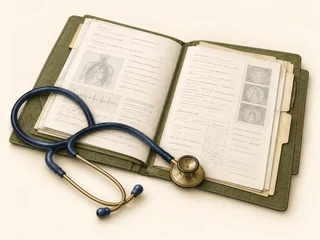
These are the records the military created while you were in, sick call visits, exams, immunizations, dental, mental health. They are not the same as the C-File, and they're held in different places depending on when you separated and whether you've filed a VA claim yet.
Where your records live
- Already filed a VA claim before: Your STRs are usually inside your C-File. Request the C-File (the VA Claim File section above), they'll be in the package.
- Never filed: Your records are with the military or with VA's Records Management Center, the exact holder depends on your branch and discharge date. Don't worry about figuring out which, the eVetRecs system below routes your request to the right office automatically.
How to request through eVetRecs
- Go to archives.gov/veterans/military-service-records and click "Request Service Records Online (eVetRecs)."
- Sign in with ID.me (create an account during the same flow if you need one).
- Fill out the wizard. Under "Type of records requested," check Medical Records. Bundle in Personnel Records too if you also want your service file, same request, no extra cost.
- Submit. You'll get a service request number, save it, you'll need it to check status or download your response.
- When records are ready, you'll get an email. Click the link, sign back in with ID.me, and download the response. Documents expire 30 days after the email is sent, so download promptly.
- Wait time is typically 4-12 weeks. Free.
3. Service Records (Official Military Personnel File)

Your OMPF is your full personnel file: assignments, awards, training, evaluations, pay records, promotions, and disciplinary actions. It's separate from your medical records but uses the same request system, eVetRecs, which routes to whoever currently holds your file (typically NPRC).
How to request
- Use the same eVetRecs flow as the Military Medical Records section above. You'll need ID.me to sign in.
- Check the Personnel Records box in the wizard.
- If you want everything, write in the comments field: "Complete OMPF (Official Military Personnel File)."
- Submit. Free. Typically 4-12 weeks.
4. DD-214 (Certificate of Release or Discharge)
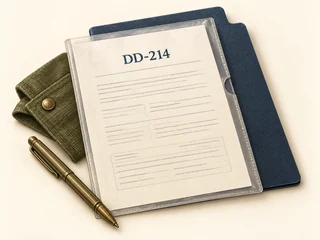
The single most important document a veteran owns. You'll need it for VA disability claims, the GI Bill, VA home loans, state veteran benefits, military funeral honors, everything. There are three ways to get one. Try them in this order:
Path A, milConnect (Fastest, recently separated only)
Works for many veterans separated after roughly 2002 (Army) or 2004 (Air Force). Other branches have varying coverage.
- Sign in to milconnect.dmdc.osd.mil with DS Logon, CAC, or login.gov.
- Click Correspondence/Documentation → Defense Personnel Records Information (DPRIS) → Personnel File.
- Download the PDF directly. Free, instant.
Path B, eVetRecs (Everyone else)
- Go to archives.gov/veterans/military-service-records and click "Request Service Records Online (eVetRecs)."
- Sign in with ID.me (create an account if needed).
- Fill out the wizard. When asked why you need the records, pick "Emergency Request" only if you genuinely have a deadline (funeral, urgent benefit application). It gets routed faster, but lying gets your file flagged.
- Submit. Save your service request number.
- When the response is ready you'll get an email, sign back in with ID.me to download (30-day window).
- 3-4 weeks. Free.
Path C, Standard Form 180 (Backup if eVetRecs has trouble)
- Download the current SF-180; the form says earlier editions cannot be used.
- Fill out, sign in ink, and mail or fax to NPRC: 1 Archives Drive, St. Louis, MO 63138 (fax 314-801-9195).
- 4-8 weeks. Free.
5. After Action Reports & Unit Records

These are the hardest records to get but often the most valuable for stubborn claims. AARs document what your unit actually did, combat operations, casualty events, equipment exposures. They are often the single best piece of evidence for PTSD, TBI, and toxic-exposure claims when the VA says "no documented stressor" or "no proof of in-service event."
Three paths depending on the records' age and which branch
Path A, Records older than 25 years (National Archives, no FOIA)
- Identify the unit, dates, and operation as specifically as possible.
- For Army records older than 25 years, contact NARA's Modern Military Records Branch: [email protected].
- For Vietnam-era and earlier, see archives.gov/research/military.
- Records 62+ years old (1964 and earlier in 2026) can be ordered online for a small fee.
Path B, Recent records (FOIA to the relevant branch)
Submit a FOIA request to the branch that owned your unit. Each branch has its own FOIA office. Use the table below or start at FOIA.gov.
| Branch | FOIA Office |
|---|---|
| Army | Army HRC FOIA, 7701 Telegraph Rd, Suite 144, Alexandria, VA 22315 |
| Navy | Navy JAG FOIA, [email protected] |
| Air Force | HAF/ICIOD, 1000 Air Force Pentagon, Washington, DC 20330 |
| Marine Corps | HQMC FOIA |
| Coast Guard | DHS FOIA portal |
What your FOIA letter must include
- Your full name, address, phone, email
- The exact unit (e.g., "Bravo Company, 2nd Battalion, 327th Infantry Regiment, 101st Airborne Division")
- Exact dates or a narrow window (a single mission beats "all of 2010")
- The operation or event ("Operation Iraqi Freedom rotation, Forward Operating Base Falcon, June-November 2007")
- A specific records ask: "After Action Reports, SIGACTs (significant activities reports), morning reports, and unit history for the period and unit named above."
- A fee statement: "Please notify me of any estimated fees before incurring charges. I have not authorized charges through this description."
- Your signature
Path C, milConnect (very recently discharged)
Sometimes unit-level documents are accessible via milConnect's DPRIS for recent separations. Worth checking before you write a FOIA letter, sign in and look under Personnel File.
Common Pitfalls (Read Before You Mail Anything)
1. Wet signatures matter, for paper forms only
If you're using SF-180 or any paper request route, federal records offices reject typed signatures more often than they should. Print the form, sign it in ink, then scan or fax. The five seconds of hassle saves you the eight weeks of resubmitting. (For the online eVetRecs flow, ID.me sign-in replaces the wet signature, no printing needed.)
2. Bundle your requests
On SF-180 or eVetRecs, you can ask for medical AND personnel AND DD-214 in one submission. Same fee (zero) and one wait period instead of three.
3. Don't confuse FOIA with the Privacy Act
Records about you go through Privacy Act channels (cheaper, faster, fewer redactions of your own info). Records about operations or other people go through FOIA. The C-File is Privacy Act. Unit AARs are FOIA. Filing the wrong one wastes weeks.
4. Save every tracking number
Every system gives you one. Without it, you cannot follow up. Take a screenshot or save the confirmation email the moment you submit.
5. Wait at least 90 days before nagging
NPRC explicitly asks you not to follow up before 90 days. Duplicate requests slow them down further and push your file to the back of the queue.
6. You can appeal a denial or partial redaction
Every agency has a 90-day window from the denial date to appeal. The appeal is in writing and goes to the agency's FOIA Officer. Cite the exemption you believe was misapplied and ask for a re-review.
7. Don't pay for what's free
Several private companies advertise "DD-214 retrieval services" for $50-$200. Every method on this page is free. Use them, not the middlemen.
Claim Quest: Quick Check
Five questions based only on this guide.
This checks what you understood from this guide. It is not a claim-readiness score, a prediction, an official test, or a record on your account.
After the records arrive
Make your file easier to follow.
The step-by-step guide to organizing and labeling your claim file, with a master-overview template you can download.
Related Tools and Guides
This guide is for educational purposes only and is not legal advice. Forms, addresses, and processing times can change, verify current details at va.gov, archives.gov/veterans, and foia.gov. For personalized help with your records request or claim, find a VSO representative near you.
Related: VA Supporting Forms guide covers 20-10206 (personal records), 21-4142 / 21-4142a (private medical release), and the other forms used alongside a records request or claim.